Contact Us

If you still have questions or prefer to get help directly from an agent, please submit a request.
We'll get back to you as soon as possible.

Please fill out the contact form below and we will reply as soon as possible.

Topics

Clinicians Administrators Patients Technical Service Updates About

    Need Help?

  • Contact

Languages

English (US) keyboard_arrow_down
RO Romanian
CK kurdish
MS Malaysian
TH Thai
HU Hungarian
RU Russian
SR Serbian
SW Swahili
CA Catalan
DA Danish
AF Dari
SE Swedish
IL Hebrew
MO Mongolian
UA Ukrainian
PL Polish
FI Finnish
TH Thai (Thailand)
SK Slovak
BE Belarusian
KR Korean
CN Chinese
LT Lithuanian
MY Myanmar (Burmese)
GE Georgian
IN Hindi
ET Estonian
SR Serbian Latin
KM Cambodia (Khmer)
SA Arabic
YU Cantonese
SO Somali
LV Latvian
FR French
ES Spanish
BS Bosnian
BR Portuguese (Brazil)
VI Vietnamese
NL Dutch
BE Dutch (Belgium)
SW Finnish Swedish
IT Italian
ID Indonesian
AM Amharic
UZ Uzbek
GR Greek
CS Czech
HK Chinese (HK)
BG Bulgarian
N Traditional Chinese
PT Portuguese
CM Mandarin
TR Turkish
AZ Azerbaijani
IS Icelandic
JP Japanese
DE German
US English (US)
NO Norwegian
HR Croatian
UR Pakistan (Urdu)
LO Laos (Lao)
BN Bangladesh (Bengali)
Homearrow_forward_ios Cliniciansarrow_forward_ios Remote physiological monitoring
  • Clinicians
    Getting Started What Do I Need? Conduct a consultation Waiting area Apps & Tools Remote physiological monitoring Training Pre-call Test Workflows Primary Health Care Video Call in Aged Care
  • Administrators
    Organisation Administration Clinic Administration Manage Team Members Video Call Apps Reports Patient Flyers and Entry Points
  • Patients
  • Technical
    Technical Basics Troubleshooting For IT Compatible devices
  • Service Updates
    Coming Soon Bulletins Live Updates Video Call Priorities
  • About Video Call
    About Articles and Case Studies Access Policies
+ More

Compatible medical devices

Information regarding interoperable medical devices and equipment


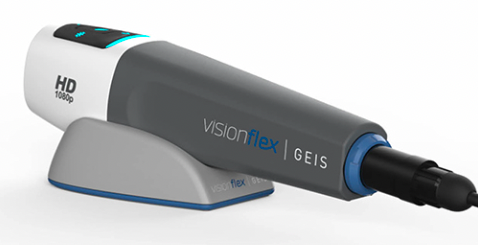
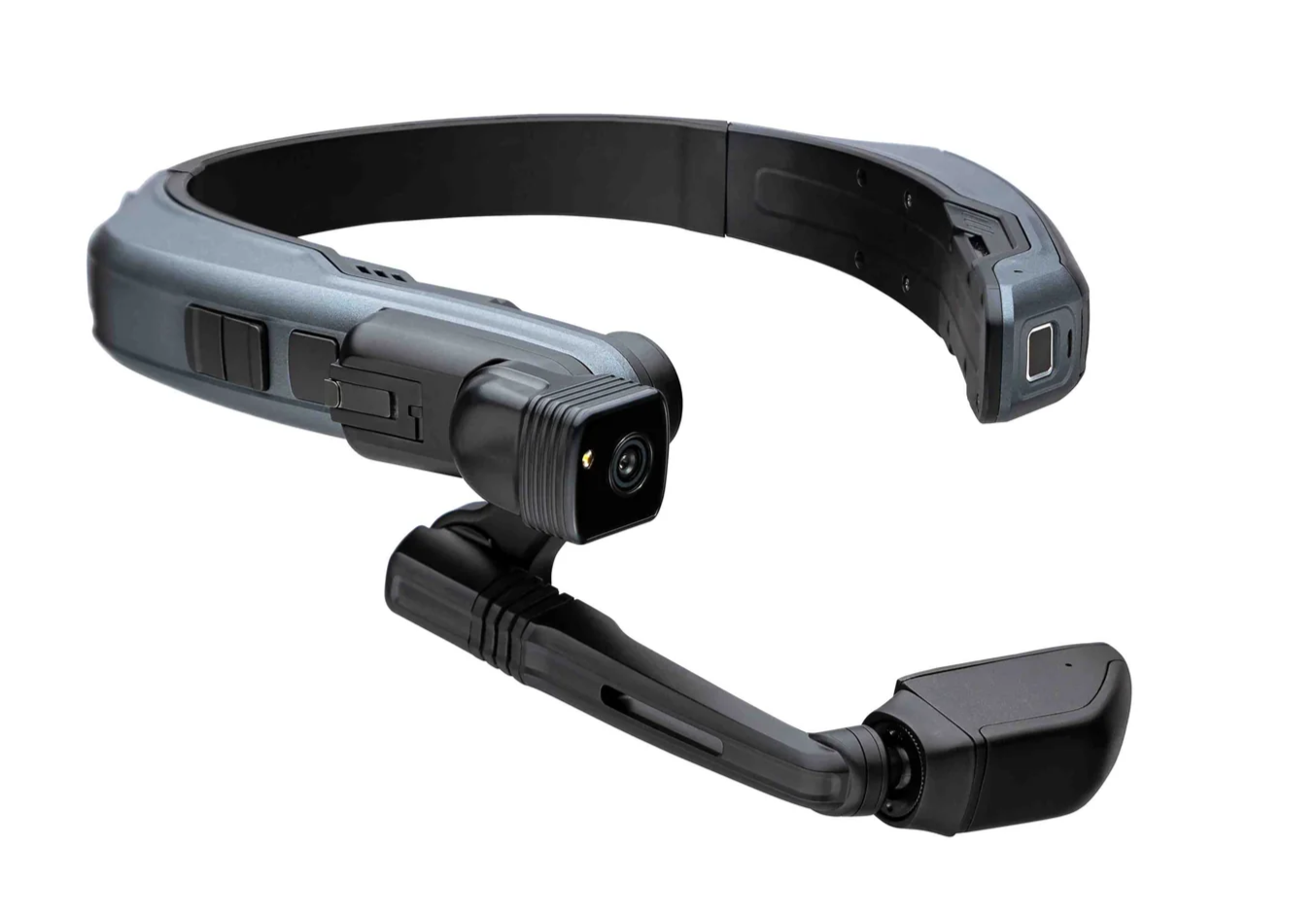
Compatible medical devices such as general examination cameras, scopes, pulse oximeters, ECGs, home spirometers, vision glasses etc are available though third party companies, independent from Healthdirect. These medical devices can be connected to your computer via USB or Bluetooth and used to enhance your Video Call diagnostic capabilities. Please note that Healthdirect does not provide these devices, your organisation will need to organise the appropriate TGA approve devices independently if you wish to use them in your Video Call consultations. 

Realtime remote patient monitoring
For information regarding patient monitoring devices that can be connected to a healthdirect Video Call please click here. This page has links to tested devices, as well as information and quick reference guides regarding the process of connecting them into a call so the doctor can view the reading live.

Enriching the telehealth consultation experience   
A health service provider with a patient in a clinical location, for example a GP practice, Aged Care Home or Urgent Care Centre (UCC), can share a medical device (scope, probe, stethoscope or Video glasses) into a Video Call with a remote specialist, for examination and diagnosis.

More information

The categories below show the types of devices compatible with healthdirect Video Call - this is not an exhaustive list but these products have been tested and shown to work with Video Call. There may be other products available.

Click the desired medical device or equipment below:

Digital stethoscopes
Examination cameras and scopes 
Medical Carts


Telemedicine Stations
Ultrasound image sharing 
Vision Glasses 
Visionflex device use case examples 
How to select a scope or camera in a Video Call 
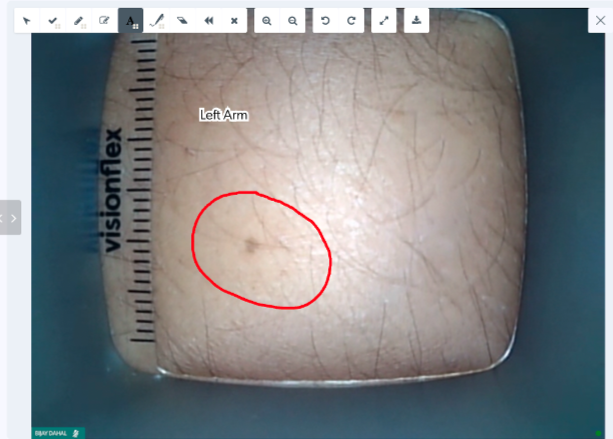
Annotating over and downloading an image from a shared camera 

Was this article helpful?

Yes
No
Give feedback about this article

Related Articles

  • Devices and operating system requirements
  • Technology and troubleshooting
  • Examination cameras and scopes
  • Real-time remote physiological monitoring home page

Can't find what you're looking for?

Email support

or speak to the Video Call team on 1800 580 771


Knowledge Base Software powered by Helpjuice

Expand